|
Please Report Any Issues, Even Minor Issues
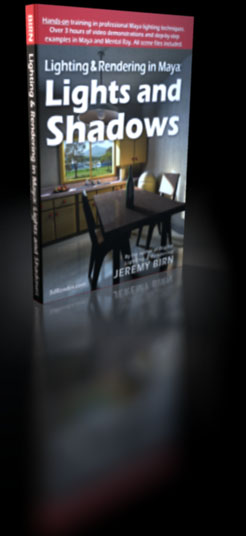
If you are a customer who has purchased a copy of Lighting & Rendering in Maya:
Lights and Shadows, then I'll try to help solve any problems that
may arise in using my DVD. Even if a problem seems minor, or is simply something that might
not be clear to everyone, I'd appreciate some e-mail about it.
Please be specific: Mention which lecture number in the videos you are watching,
or which Maya scene from the DVD you are using, and what version of Maya you are running on your computer.
For fastest support, please send me e-mail using this link:
jeremy@3dRender.com.
Known Issues
Before you e-mail about a problem, check here to see if there's already a solution waiting for you.
- If you can't find the Color Temperature chart mentioned in the first lecture, it is located here. For more information on Kelvin Color Temperatures, see this page.
- If you receive missing texture errors,
check that you have Lights_Shadows_DVD set as your current Maya Project
before you open the scene. Within the Maya Project, check that you have all texture files from
sourceimages.zip file unzipped and installed in the
sourceimages directory of the project.
- If you receive errors when opening the scene FurBall.ma, but all other scenes work,
this is probably because Maya Complete currently does not support Maya Fur.
Autodesk may allow you to
download a free 30 day trial of Maya Unlimited if you want to try using Maya Fur on your computer.
- If you receive errors about possible data loss when opening all scenes in the project,
it's probably because you have an old version of Maya.
Don't worry, there are two easy fixes for this problem: For Maya 8.5 or higher,
click the options box to the right of Open Scene... in the File menu, and check Ignore Version in the Open Options box.
Earlier version of Maya cannot open Maya 2008 or Maya 2009 files without modification. The subdirectory maya7scenes
in the Maya project has earlier Maya files that you can open.
- If you cannot find the scene Kitchen-Done.ma in the scenes directory, and can only find it in your
maya7scenes subdirectory, please note that this scene is good to use in later versions of Maya. If you want
an updated scene saved from Maya 2008, you can also unzip and install this Maya 2008 version of it.
Want more to do?
If you've finished the DVD and want more to do, try the downloading and lighting some of the
Lighting Challenge scenes!
Copyright © 2008 by Jeremy Birn.
|

