| Page 10 | Modeling a Mountain Bike: Crank |
To start making the crank area, Loft all five curves below:
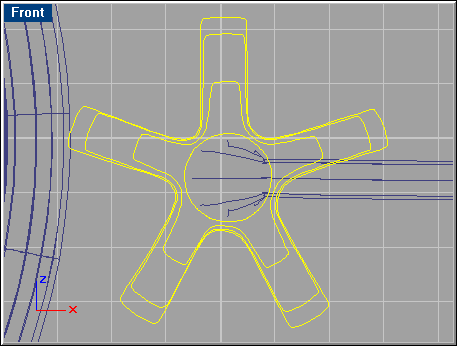
Also loft the eight curves shown below. For the latter loft, use the ‘Closed’ option.
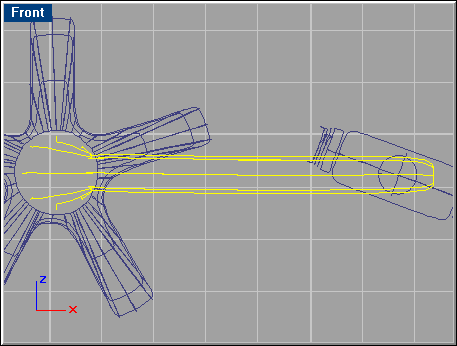
Revolve the curve shown below:

Deselect all, and go ‘Surface/Sweep 2 Rails’. Select the rail curves, and then the cross-section curves, as shown below.

Use the default options. Since the open holes in this surface aren’t planar, you should patch the cross-section curves. Select one cross-section curve, and go ‘Surface/Patch.'
Use these settings: 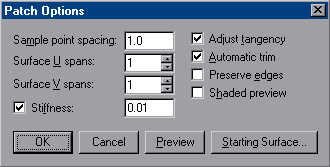
Finally, join together the surface with the patch lids on both sides.

Select the curves shown below, and do a ‘Sweep 1 Rail’. Cap the surface.
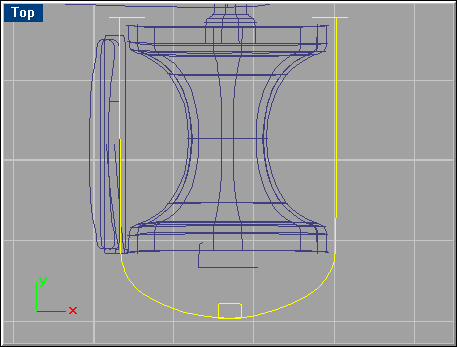
If Rhinoceros only caps one end, repeat the capping. Join them all together. Make a ‘Sweep 1 Rail’ with the curves shown below.
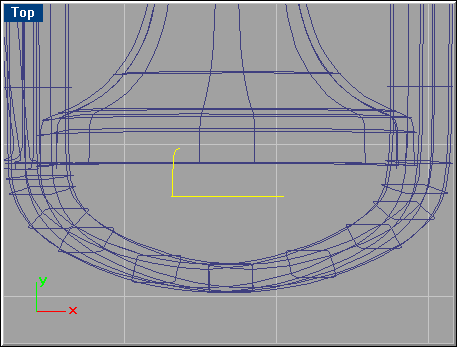
Go ‘Surface/Rail revolve, and select the profile curve followed by the path curve shown below. Use Object Snap ‘End’ while setting the start and end of the revolve axis.
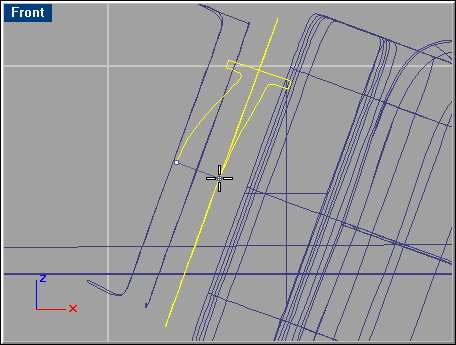
Select the three curves shown below and do a ‘Sweep 2 Rails’ with default options. The pedal and its components are finished.

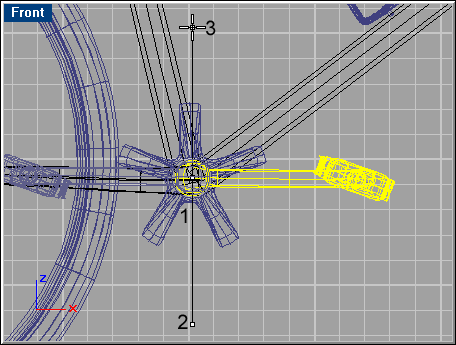
In the Top viewport, mirror the pedal surfaces using Object Snap ‘Mid.' In the Front viewport, go ‘Transform/Rotate’ and find a spot near #1 in the figure below, then hold Shift and set the first reference point near #2, and second reference point near #3.