
First the simpler parts commandscript that references less detailed models without the garden script added yet. It really is almost same as the last script we ran only with the light files added. One convention I have adopted in writing scripts is to put annotations in the scripts imbeded in *** symbols. This way Rhino cannot read these annotations and passes them up in the command line. I try to keep annotations to a minimum mainly explaining the filename that is to be merged. I also Include all camera data and field of view information. You must set this first because when the script creates dense surface models you will only want to hit the render button so you wan to set your camera settings before you run the commandscript.
1. Open a new Rhinoceros session
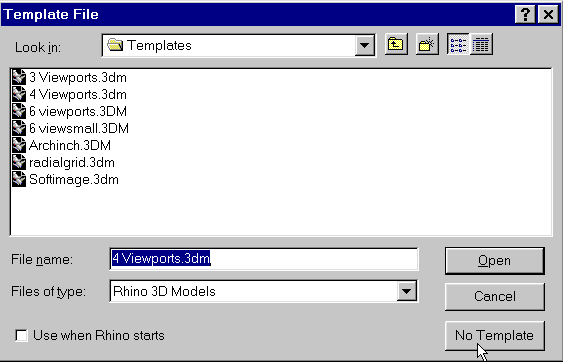
2. Click no template
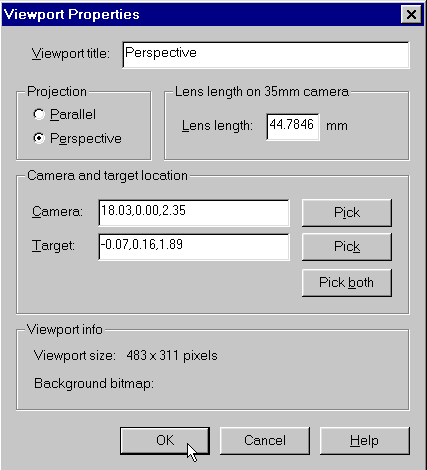
3. Right mouse click the perspective viewport title. Then
click the properties tab copy and paste the following into
the appropriate boxes ...
Lens length 44.7846096908265
Camera 18.03,0.00,2.35
Target -0.07,0.16,1.89
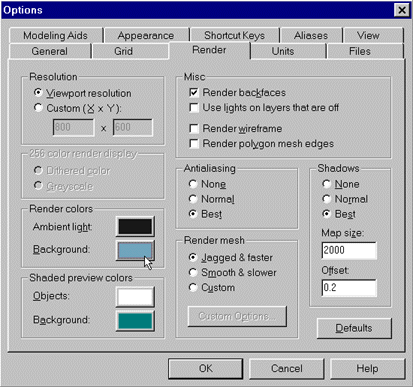
4. Click tools/options/render:
Click the Ambient light box and enter 24 24 24 in the RGB
boxes not the hue,sat, val boxes.
Click the Background box and enter 112 164 188 in the RGB
boxes
5. Copy the script from ***Oecuscomplete*** to the end of
the lefthand table below.
6. Make sure the Perspective viewport is active.
7. Click the command paste icon or type commandpaste at
the Rhinoceros commandprompt.
|
*Do*not*copy*and*paste*this*for*reference*only* ***Oecuscomplete*** ***Peristylewallsnontextured*** ***Column*Placement*Script*** |
8. Create a full rendering of the file.
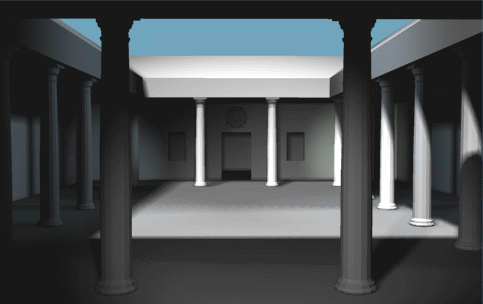
9. Go to file menu and select new file when prompted to
save answer no.
10. Click no template
You should have a new Rhino file/drawing open with no objects in it.