| Page 3 | Modeling a Brachiosaurus: CSec |
Maximize the Right viewport, and use the command ‘CSec’ to get profile curves out of the three curves. When prompted, select the curves in order, from top to bottom, and hit Enter, type C and push enter to toggle the Closed option to read Closed=No, and begin drawing the curves as seen below. (The result should be similar to the sample file ’Brachio1.3dm’ from the CD-ROM).

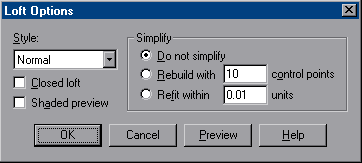
Now you have the curves for a rough shape of the dinosaur body. The curves automatically stay selected after the CSec command, so you can use ‘Loft’ to skin them together. Execute the 'Loft' command, and in the ‘Loft options’ panel use the default settings, and hit OK.