| Page 8 | Modeling Trog: Torso / Chest |
Save your file or open trog3.3dm for a complete version.
Turn on DynamicShadingPerspective.
From the right view select the middle 5 points of the chest (which is the 5th row down) and move them out to the left from the right view about 1 grid. Drag the middle point back in for the solar plexus about 4 grids as shown below.
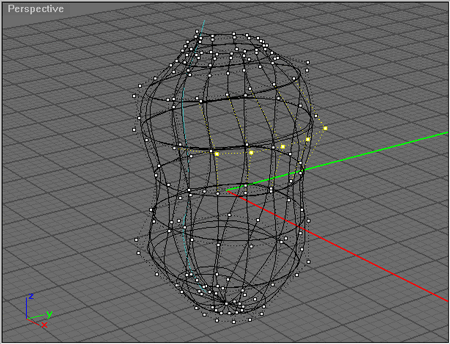
Selected the 4 outer points from the center, 2 on each side, and move them down about 2.5 grids as shown below.
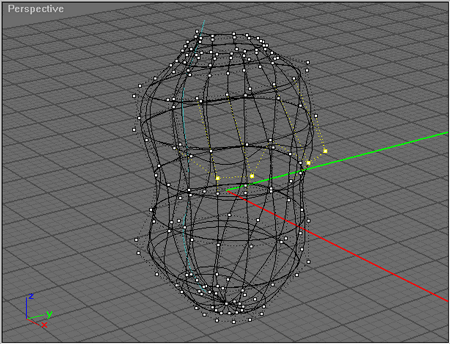
Hit NextV once and drag the points up about 2 grids. Hit NextV once again and drag the points up about 5 grids as shown below.
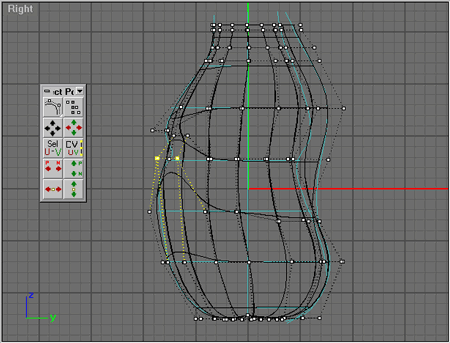
Select the points as shown below and Scale1D until they are about 1 grids apart.
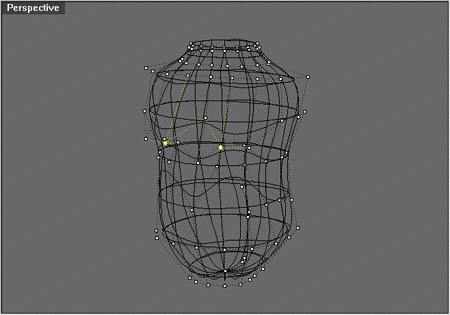
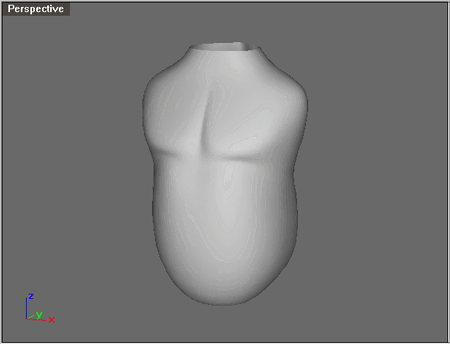
With CullCp off select the points shown below and drag them up about 4 grids and then select just the single left point of the points selected and watching the perspective view port carefully and drag it to the right until there is a slight crease defining the stomach muscles.
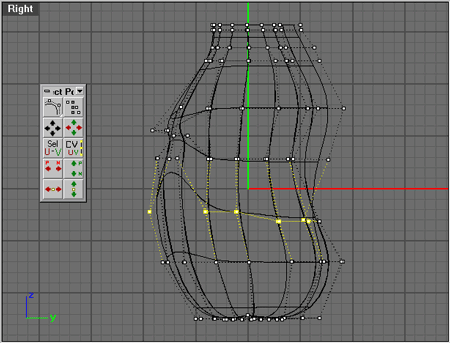
Conclusion: The basic things to note so far is that we
don't have to many points to deal with. This is because of the
way the model was planned. But it's also important to have enough
points to get the job done. Finding that balance and using CullCp
and using the DynamicShadingPerspective
along with the 'Select Point' toolbox can make point editing much
easier to deal with.